openQRM has a key leading technology that sets it apart from the rest. The Diskless Boot. This feature means that any servers and applications are booted WITHOUT a hard disk! This has many advantages; faster boot times, longer uptimes, and much more cost-effective.
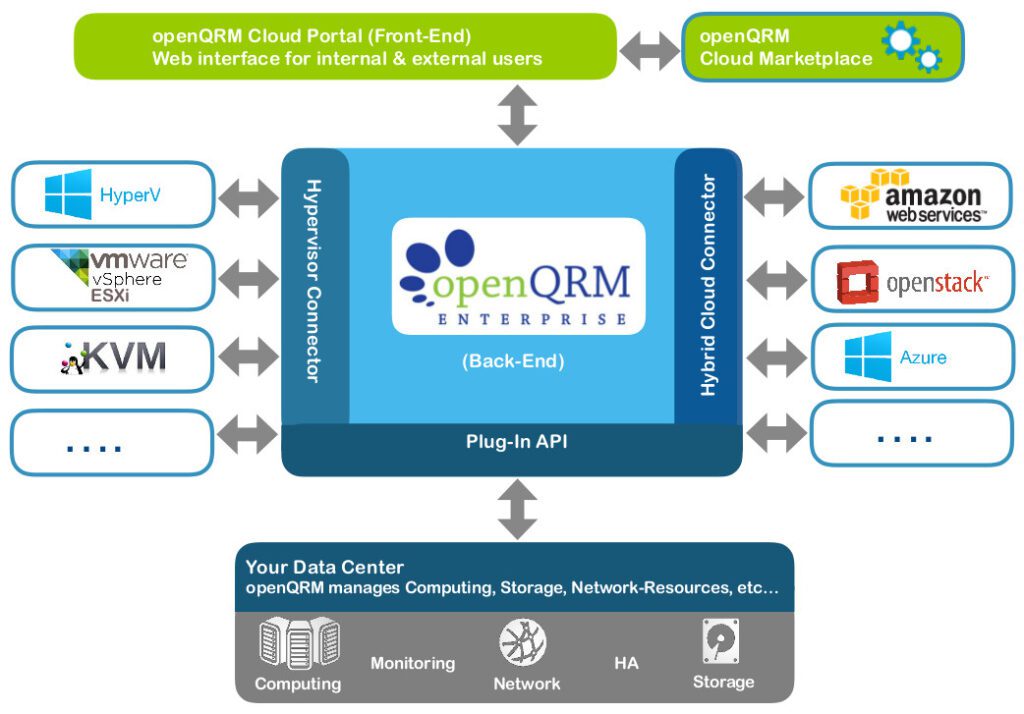
openQRM is designed to be compatible with almost all major cloud services (it’s an expanding list). The platform has a modular infrastructure, having its functions and compatibilities provisioned by plugins!
openQRM has many features and many ways to use them. To help users understand it, we offer How-Tos and Tutorials! You can find them on our Wiki, YouTube Channel and Community Forum.